Feature Guide
What Slow Down does and how to use it.
Getting Started
Everything starts in the box at the top of your home page or videos page. Paste a link and the video is added. Type anything else and it searches YouTube.
- Paste a YouTube link. Regular videos and Shorts both work.
- Search YouTube without leaving the app.
- Import a YouTube playlist on the Playlists page. Press Sync later to bring in videos added since.
- Upload your own audio or video. MP3, WAV, FLAC, OGG, AAC, M4A, MP4, WebM and MOV, up to 500 MB. Drag the file onto the box or pick it from your computer.
New to the app? Open a video, set a loop around the part you can't play yet, and slow it down until you can. The rest of this guide is there when you want more.
The Player
Speed
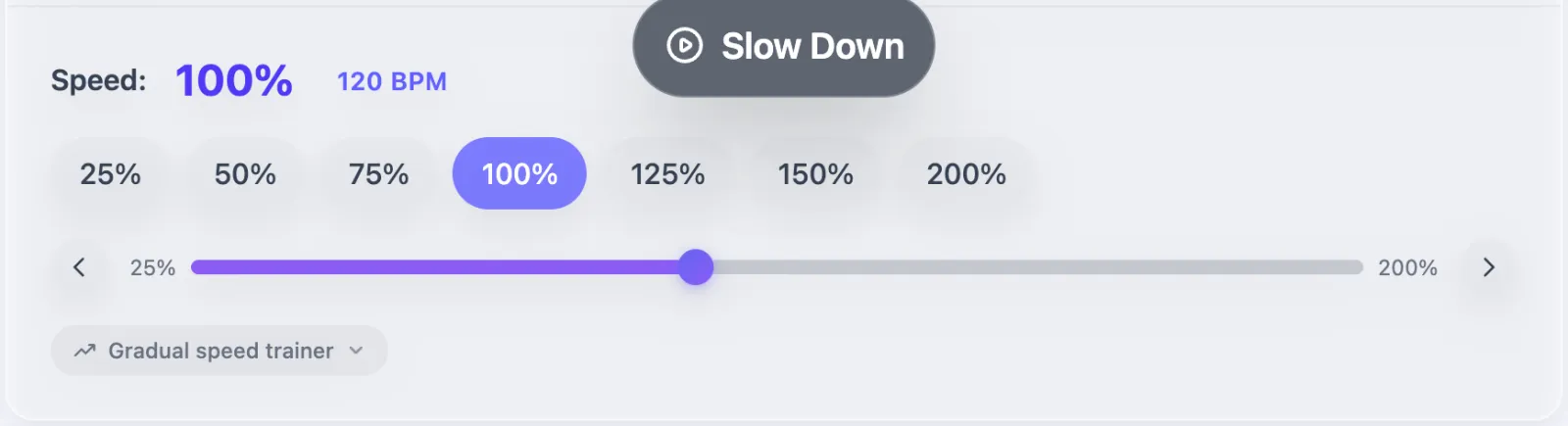
Play anywhere from 25% to 200% of full speed, in 1% steps, with buttons for 25, 50, 75, 100, 125, 150 and 200%. Each video remembers the speed you left it at. On YouTube videos, the gradual speed trainer starts slow and speeds up after every few loops until it reaches your target.
Markers and loops
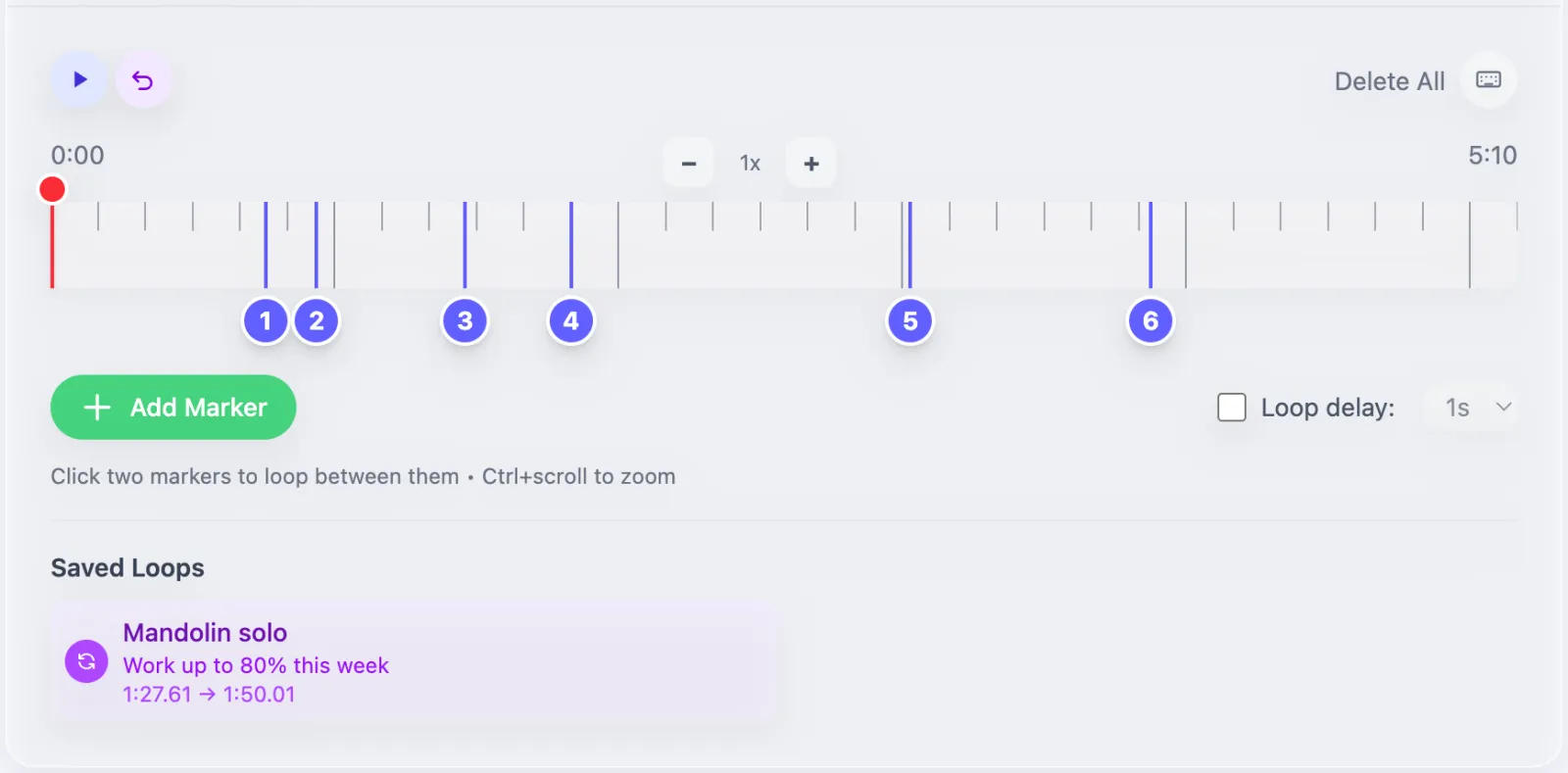
- Press V or Add Marker to drop a marker where the video is playing. Drag it to move it.
- Click two markers to loop between them, or drag across the timeline to loop any stretch.
- Drag a loop's edges to resize it. Zoom the timeline in for short phrases.
- Save a loop with a name and a note, like "Mandolin solo: work up to 80% this week".
- Turn on Loop delay for a 1 or 3 second pause before each repeat, so you can reset your hands.
The dock
When you scroll down a video page, your controls follow you in a bar at the bottom of the screen. The basic dock has play, skip back, start over and stop loop. Press the arrow on its right for scrubbing, speed, your saved loops and markers, and a button to add a marker. Drag the dock anywhere, resize it from the corner, or close it with the X and turn it back on from the menu behind your picture. It also shows up on Scales & Arpeggios, practice tracks and the Rhythm Trainer.


Keyboard shortcuts
Choose how far the arrow keys skip (1, 2, 5 or 10 seconds) in the shortcuts menu on the Markers & Loops card. Hold Shift with [ ] to move the end of the loop instead.
Arrange the page. Every card on a video page can be dragged into a new order or collapsed. Your layout applies to all your videos.
Pitch, Vocals and Analysis
Transpose and vocals
Shift the key up or down by semitones, fine-tune in cents, and turn the vocals down to play along with the band (or up to hear the words). On uploaded files this all runs in your browser. On YouTube videos it needs the Slow Down extension.
Key, tempo and chords
Analysis finds the key, tempo, time signature, beats, chords and the parts that repeat. Uploads are analyzed on their own, up to 20 minutes long. For YouTube, press Analyze key, tempo and chords in the Pitch & Vocal card while the extension is on.
The tempo follows your speed: slow a 120 BPM song to 75% and it reads 90 BPM. Got a value wrong? Edit it by hand. Once a song has chords, Make practice track turns them into a chart you can play along with. Read how music analysis works for the details.
Browser Extension
The free Slow Down extension does two things.
A practice panel on YouTube
Open any video on youtube.com and the side panel gives you speed from 25% to 200%, transpose up to 12 semitones either way, a vocal slider with an AI option for cleaner removal, volume up to 150%, and markers and loops. It works without an account. Signed in, you can add the video to your library and your markers, loops and practice time come with it.
Pitch and analysis in Slow Down
On a YouTube video in your library, the extension powers the Pitch & Vocal card: transpose, vocal reduction, AI separation and the Analyze button.
Get it for Chrome or Firefox. The Chrome version also runs in Edge, Brave, Arc and other Chromium browsers. Your profile settings list every browser you've connected, and you can disconnect any of them.
Practice Tools
Open them all from Practice Tools. The metronome, tuner and practice tracks also sit in a card on every video page. Time spent in Scales & Arpeggios, Frets, the Rhythm Trainer, practice tracks and sheets counts toward your practice log.
Scales & Arpeggios
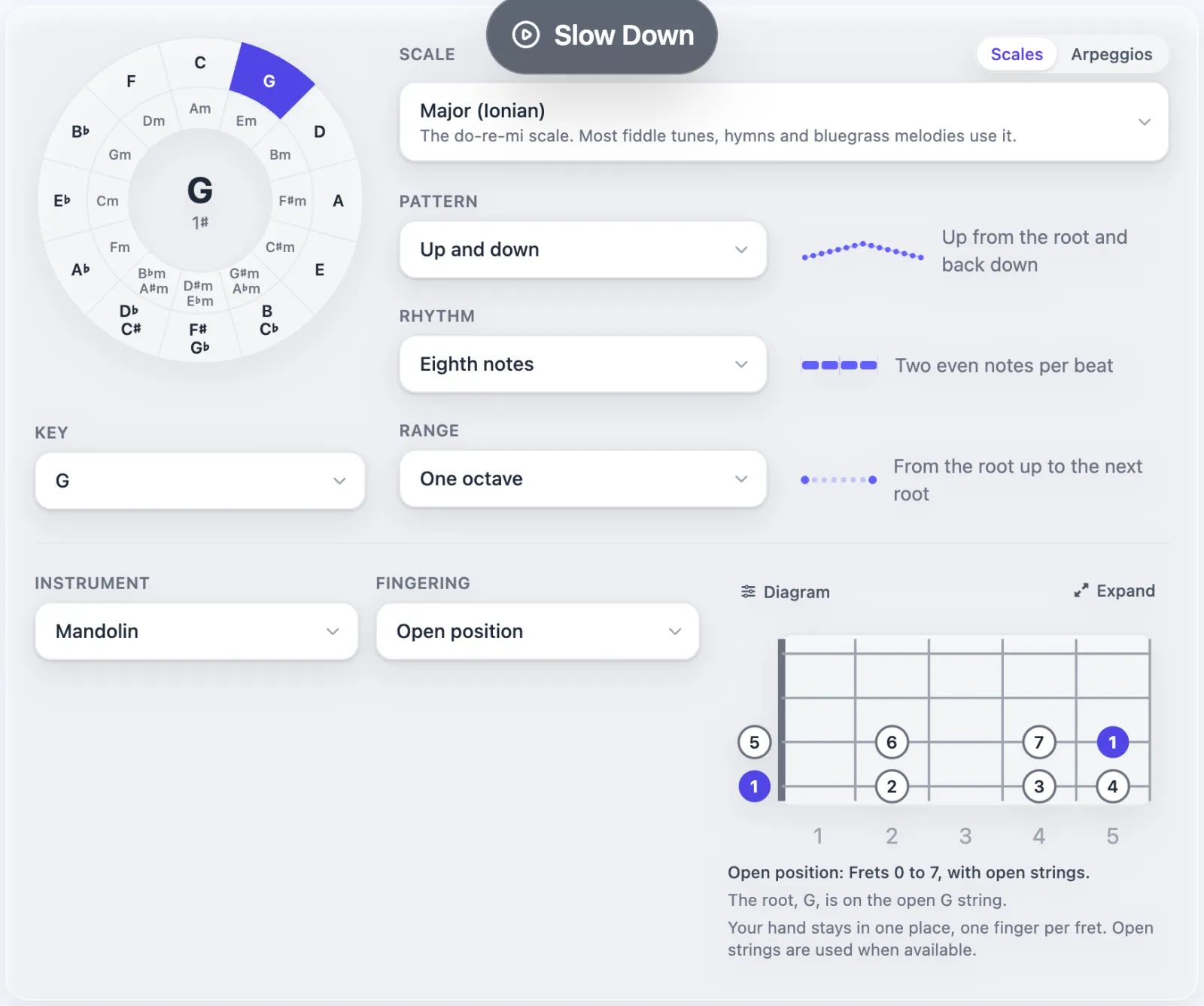
Pick a key on the circle of fifths and get any of 34 scales and 22 arpeggios as notation and tab for mandolin, violin, mandola, octave mandolin, guitar, banjo or bass. Choose a pattern (thirds, sixths, groups and more), a rhythm, how many octaves, and a fingering system. Add a drone, or loop through all 12 keys. Download any exercise as a PDF or image, one key or all twelve, or share it with a link. The Progressions tab does the same for chord progressions.
Rhythm Trainer
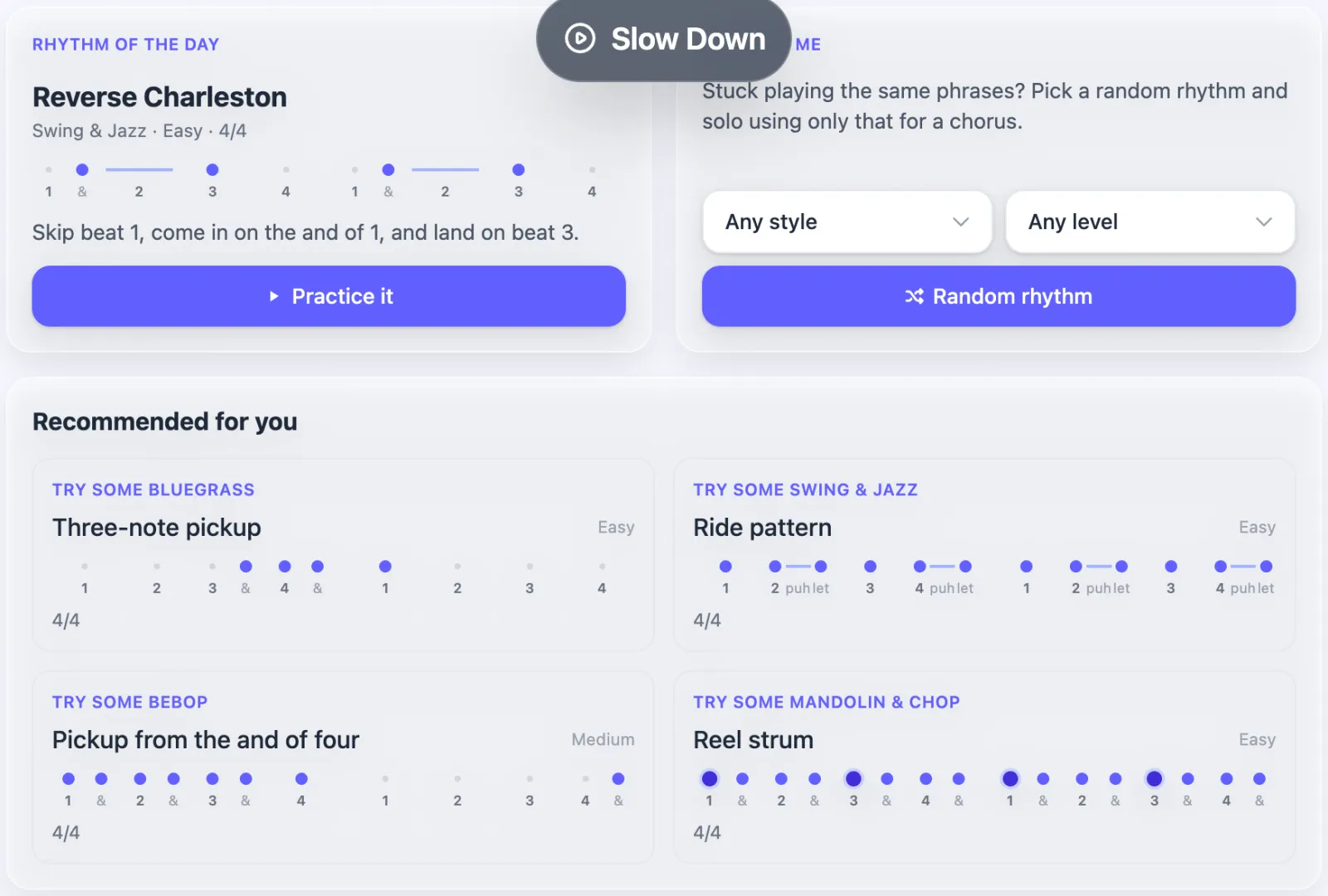
53 rhythms from bluegrass, swing, bebop and mandolin chop, each rated easy, medium or hard. Pick one and solo using only that rhythm, try the rhythm of the day, or press Random rhythm when you're stuck in a rut. Build your own on a grid and share it.
Practice Tracks Beta
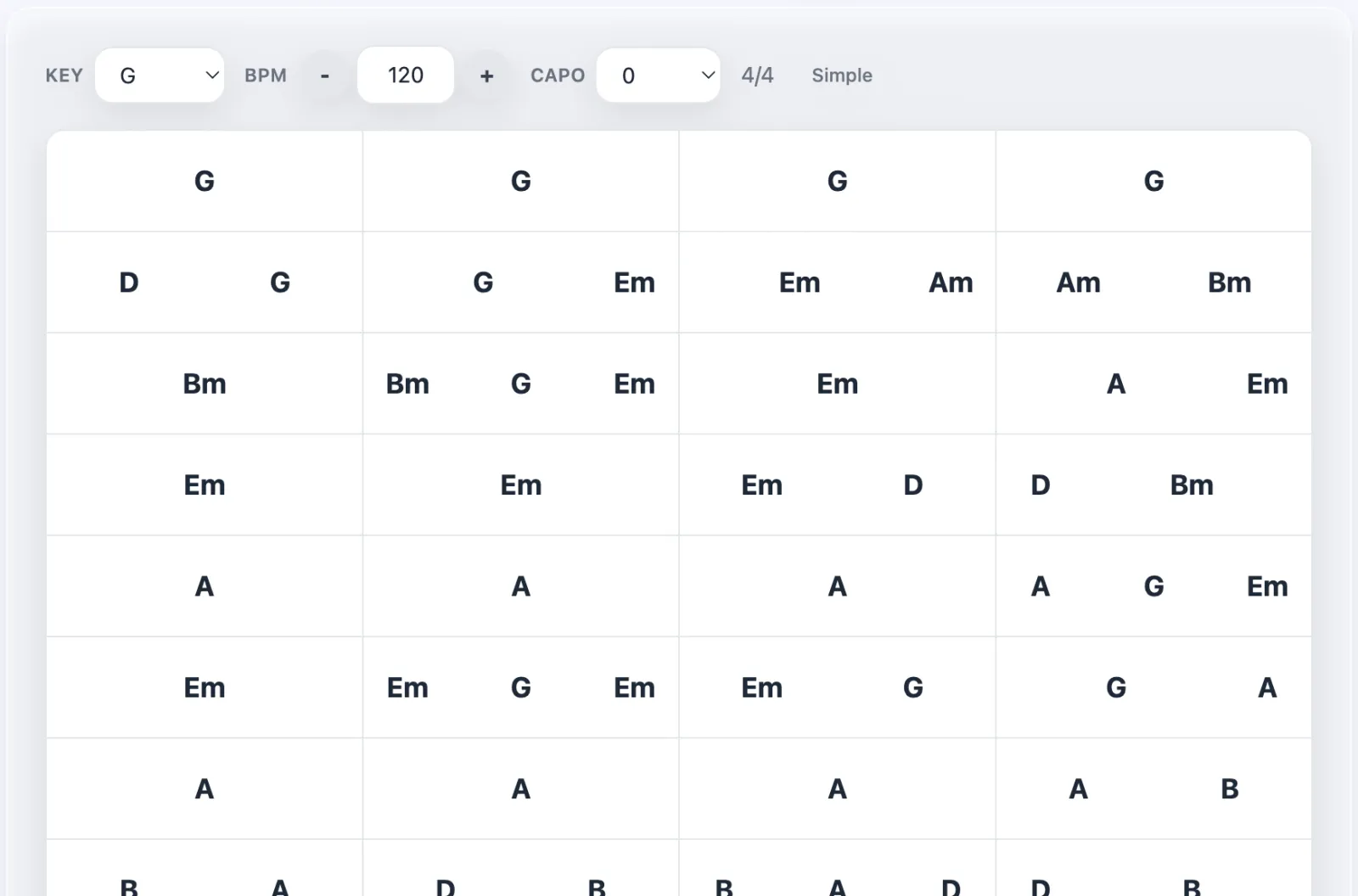
Write out a song's chords, or start from the chords found in one of your videos, and a band plays them back. Change the key, tempo, capo and swing, set it to speed up a little each time through, and mix each instrument's volume. Tap a bar to play from there, or drag across bars to loop them. Group tracks into song lists and share any of them with a link.
Metronome
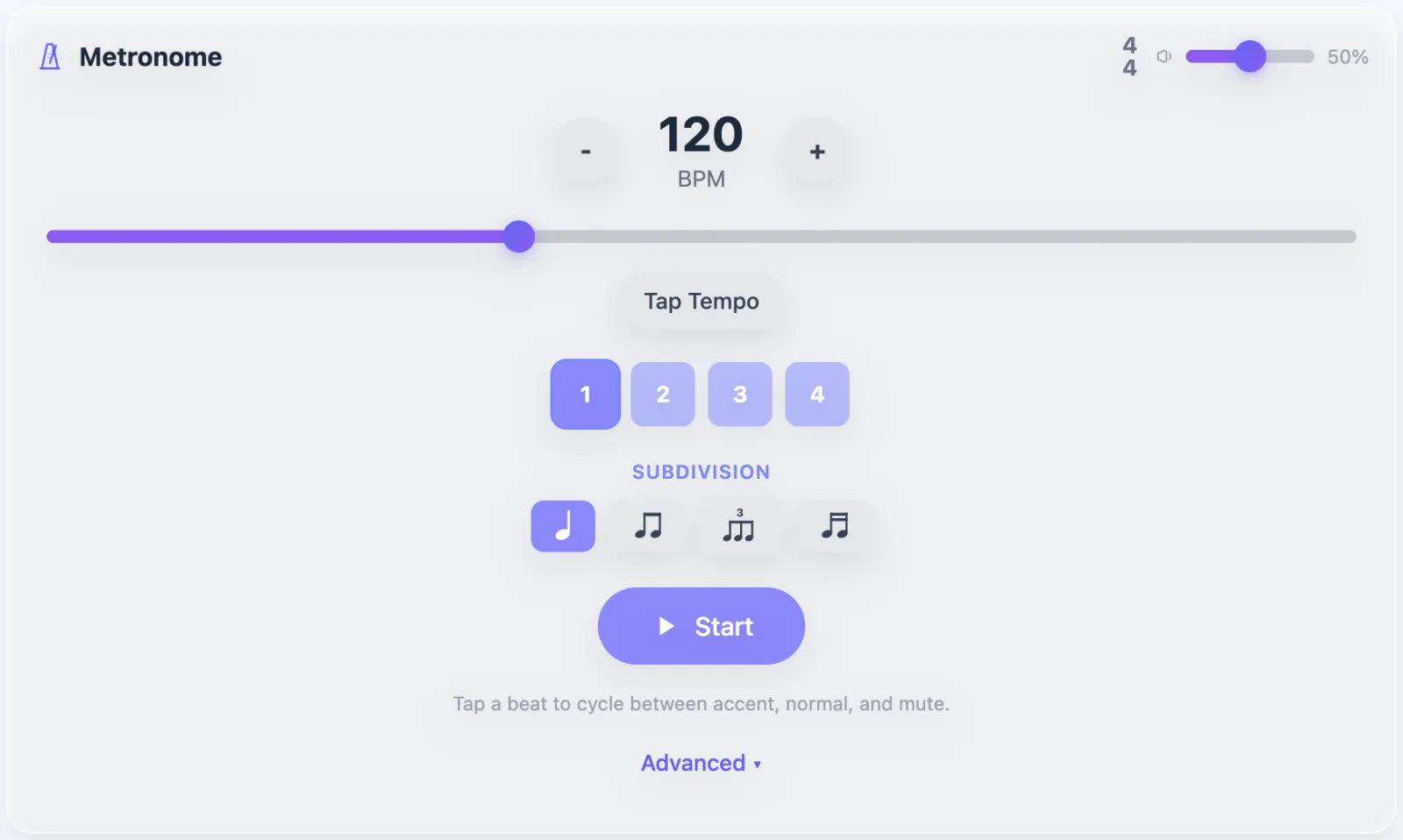
20 to 300 BPM with tap tempo, subdivisions, swing, and accents you set by tapping each beat. Random mute drops clicks so you learn to hold time yourself. The tempo trainer raises the BPM every few bars.
Tuner
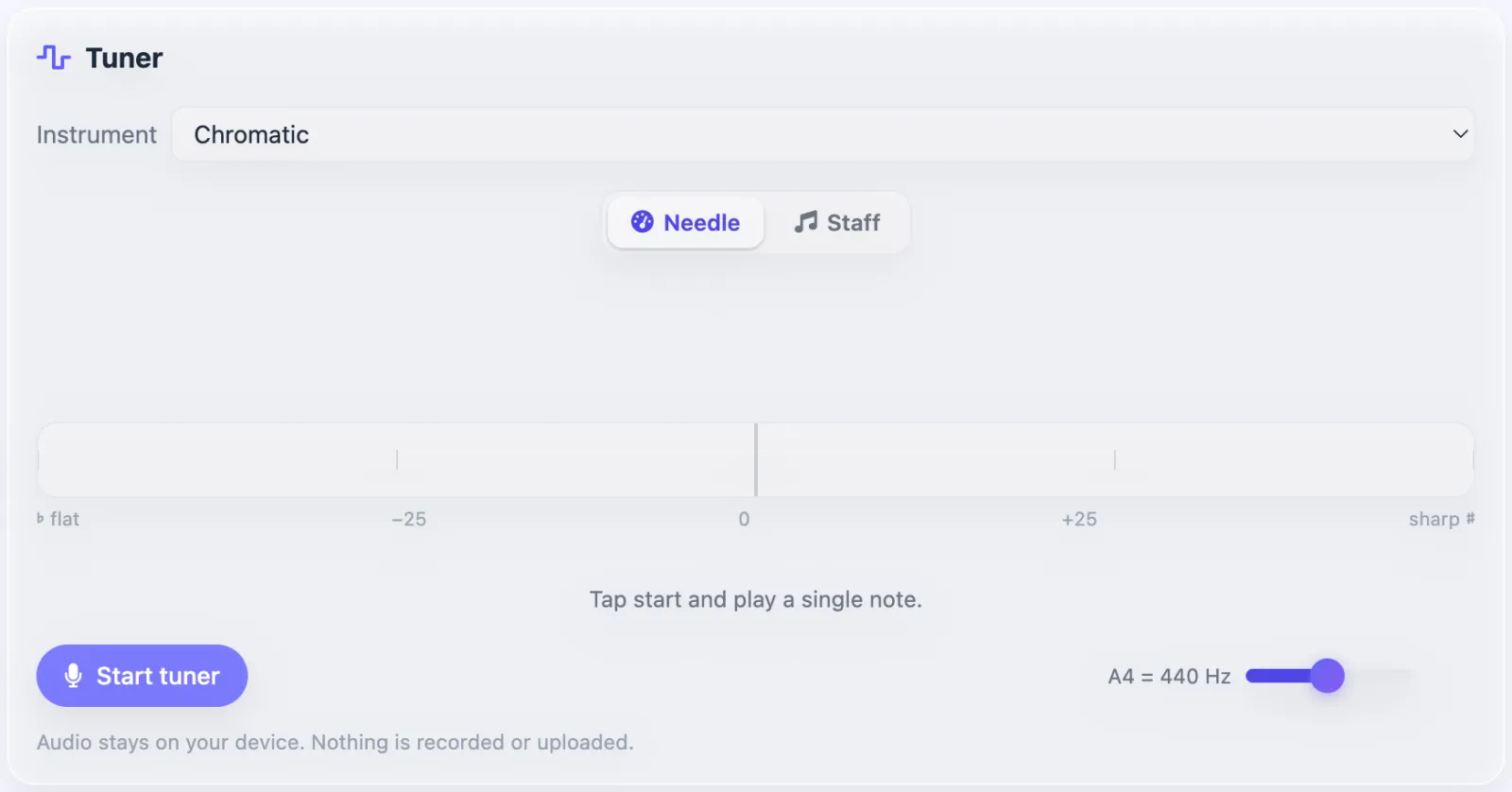
Tune with your microphone using a needle or a staff view, with presets for mandolin, guitar, bass, violin, viola, cello, ukulele, banjo and more. Tap a string to hear its note, and set A4 if your band tunes away from 440. The sound never leaves your device.
Frets
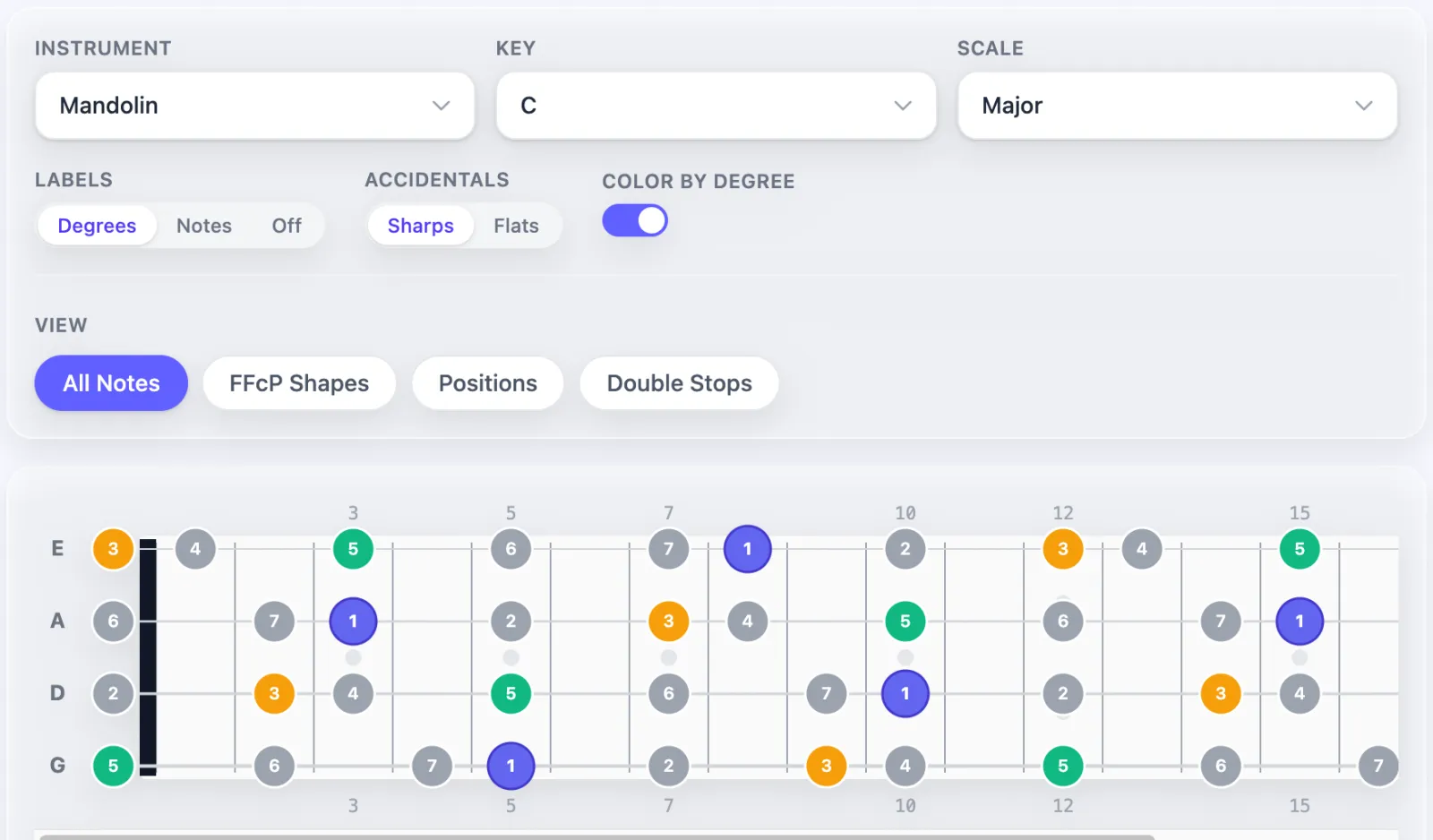
See any scale or arpeggio across the neck of a mandolin, guitar, tenor banjo or 5-string banjo, with notes colored by scale degree. Switch to FFcP shapes, positions or double stops, and print the fretboard.
Sheets and Notation
Write tunes, exercises and transcriptions in standard notation with tab for guitar, mandolin, violin, banjo or bass. Enter notes with the mouse or keyboard, and add chords, lyrics, dynamics, slurs, hammer-ons, fingerings and repeats. Playback uses recorded piano, guitar, violin and bass.
Link a recording
Attach a video or audio file to a sheet. The sheet then shows on that video's page, so you can read and listen in one place.
Scan printed music
Upload a PDF or photo of sheet music, up to 20 MB, and the scanner turns it into a sheet you can edit and play back.
Practice Log
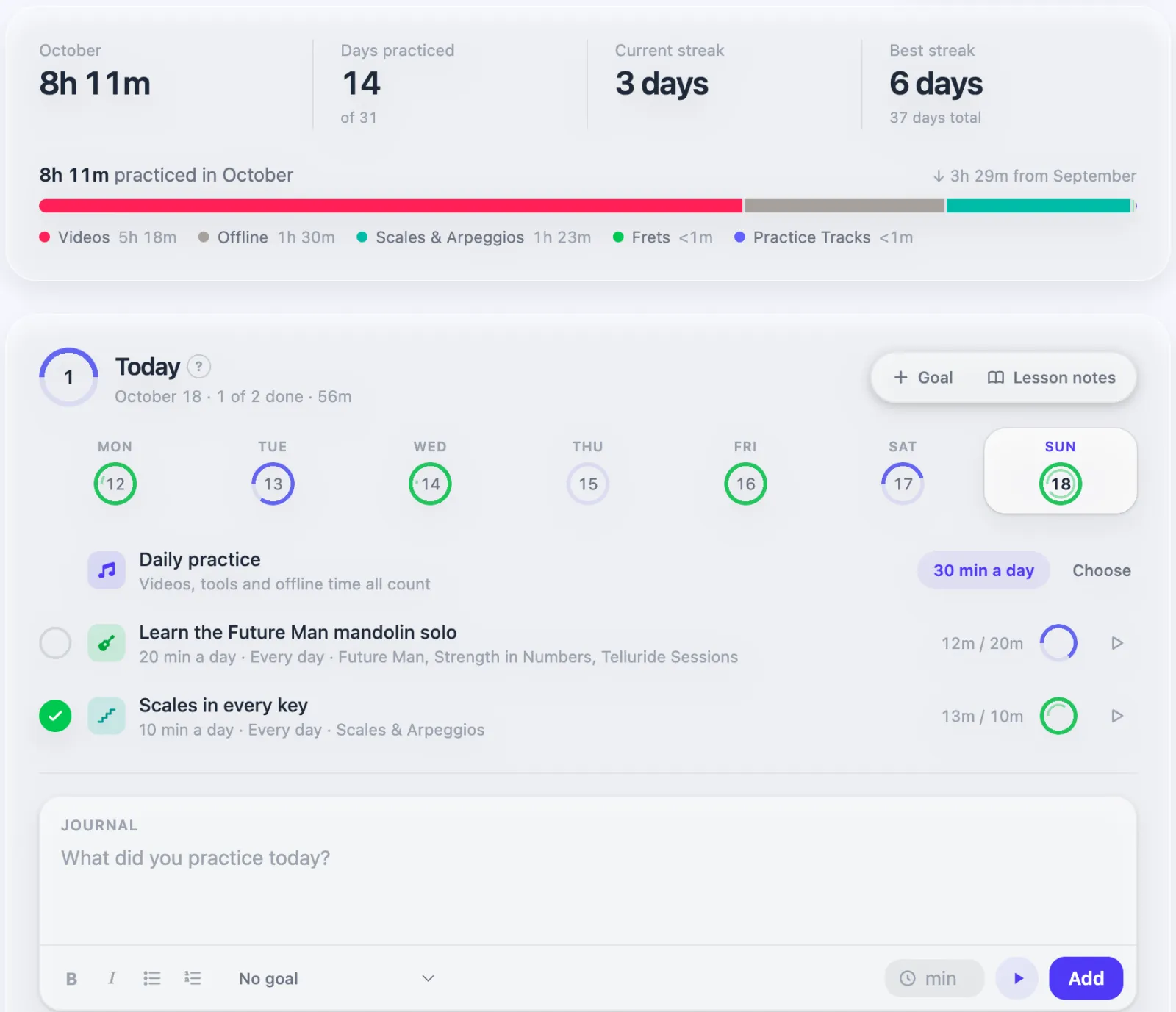
Your practice log records time on its own while you practice videos and tools. It shows your month at a glance, where your time went, and your current and best streaks.
- Goals. Set a goal like "20 minutes a day on this solo" and link it to a video or tool, so time there counts toward it.
- A daily target for the minutes or days you want to practice.
- A timer for practice away from the app. Stop it and the time is logged.
- Offline practice. Add the minutes you played at a jam or a lesson.
- Lesson notes. Write down what your teacher said, and each assignment becomes a goal.
- A journal for what you worked on each day.
Courses
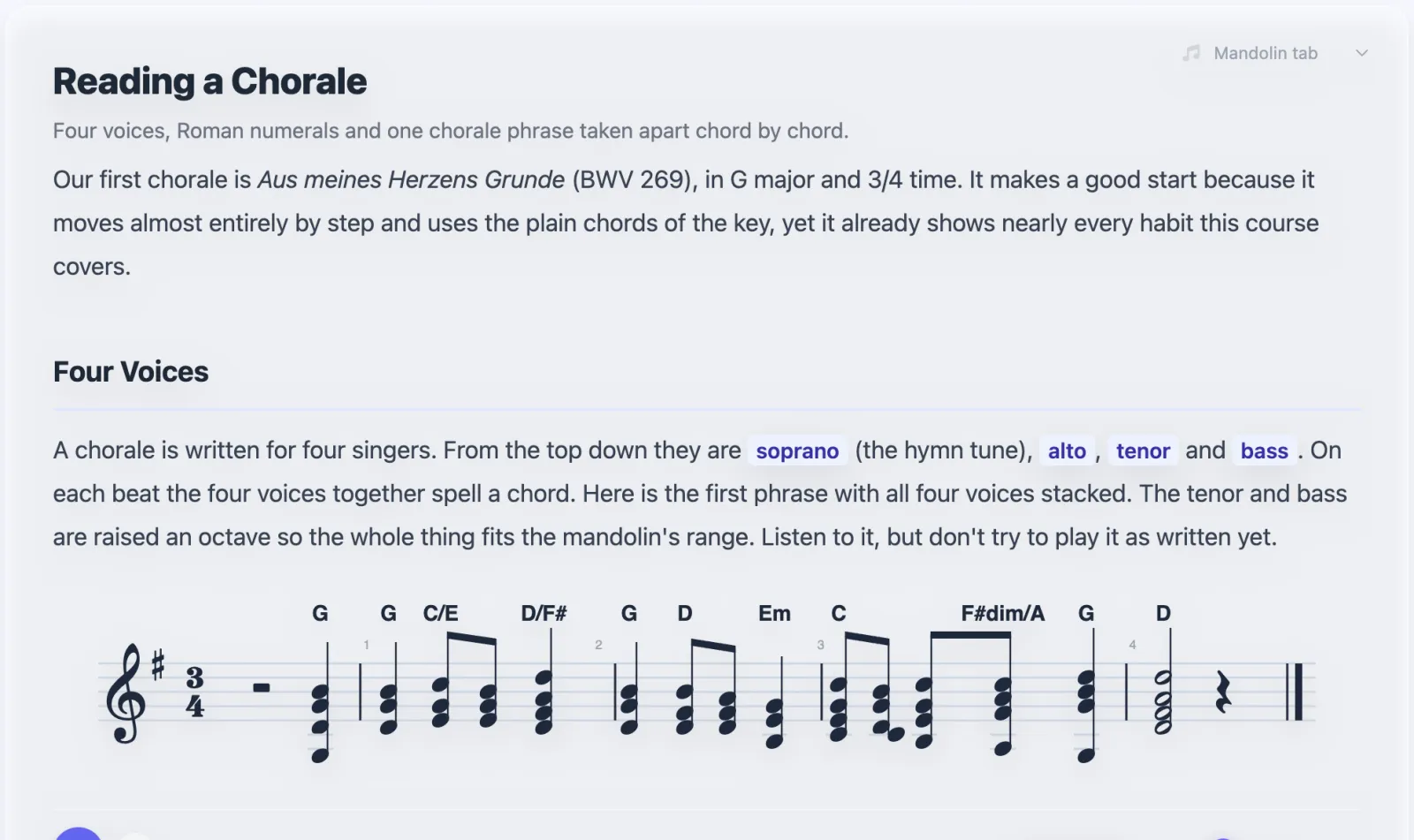
Courses teach a topic one section at a time, with notation you can play back and tab for your instrument. Choose your instrument in the menu at the top of each section. Mark sections done as you go, and the course picks up where you left off.
- Basic Music Theory: notes, rhythm, scales, keys, intervals, chords and progressions.
- A Year of Daily Practice (beta): a daily routine for scales, triads and 7th chords, with a new idea every few days.
- Soloing with Chord Cells (beta): swing and jazz lines built from four-note cells.
- Bach on Mandolin (beta): how Bach connects chords and builds lines, from chorales to the partitas and suites.
Start one from the Courses page.
Playlists, Notes and Files
Playlists
Group videos for a set list, a lesson or a style you're learning. Add videos from a video's menu or by searching inside the playlist, drag them into order, and import whole YouTube playlists.
Notes and files
Every video and playlist has room for formatted notes and attached files: images, audio or PDFs up to 25 MB. Keep a chart, a lesson handout or a recording of yourself next to the song. Tick Public to let others see them.
Deleted something by mistake? Videos and playlists go to the trash first, and you can restore them.
Achievements and Leaderboards
Achievements
Earn badges for practice time, streaks and finished goals, for working through scales, rhythms and the metronome, for courses and sheets, and for following, posting and sharing. They come in tiers from bronze to diamond, and each locked badge shows how close you are. See yours on the Achievements page.
Leaderboards
Twelve leaderboards rank practice time, streaks, loops, mastery, sheets and more, for the week, the month or all time. A chart tracks how your rank changes.
Your Account
- Sign in with Google, Apple or an email and password. Connect more than one so you always have a way in.
- Turn on two-factor sign in with an authenticator app or emailed codes.
- Switch dark mode on or off from the menu behind your picture in the top right.
- Edit your name, username, bio and links, and choose whether new videos, playlists, notes and sheets start out public.
- Become a supporter for $2 a month or $20 a year, or make a one-time donation, to help keep Slow Down running.
Can't find what you need? Contact support, or see what's new.